







Key Takeaways
Hello, David here at Merchant-Accounts.ca. Recently, a client asked me about credit card surcharging rules in Canada. The truth is that I don't think I've ever actually implemented surcharging with any of my other clients, at least to my memroy. I decided to jump in and explore the surcharging rules. Stay tuned; we'll dig in a second.
Surcharging
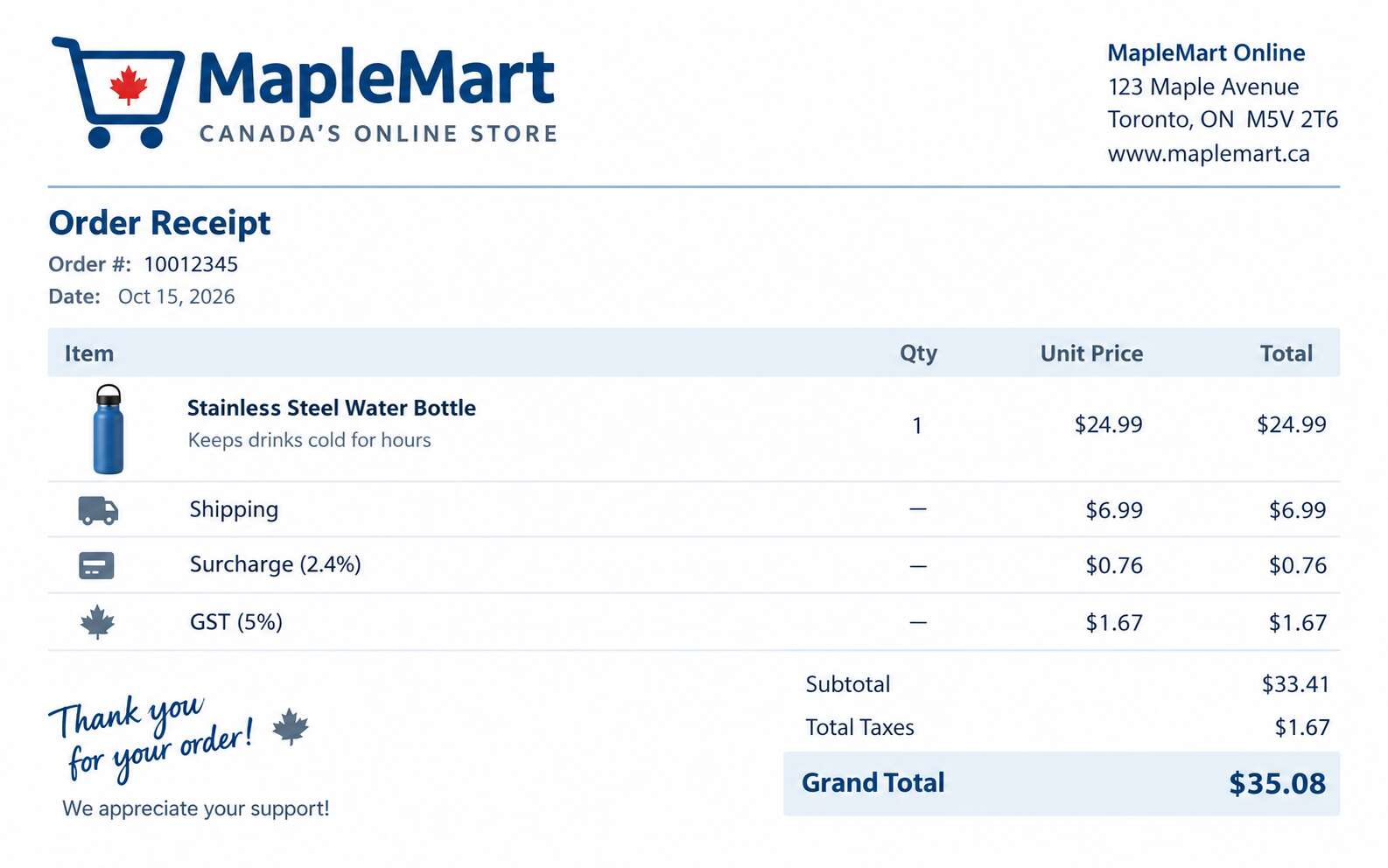
What is surcharging? Everybody knows that credit cards can be pretty costly to process, and it's a cost that businesses incur. In some cases, those fees can be really impactful. For example, if you sell really expensive things, like Rolex watches, you're going to be doing tens of thousands of dollars per transaction. Other businesses, might not be doing huge tickets, but you might have a cost-sensitive business where every last penny counts. Surcharging allows you to disclose and charge those fees to your customer, so they're covering, or at least partially covering, your cost to accept credit card transactions. It used to be frowned upon by the card networks until a lawsuit in Canada was settled by the card networks that allowed businesses to be able to surcharge starting on October 6th, 2022. As long as they followed certain rules, which we'll discuss in just one second.
Before going forward, I want to point out that I got all of the information that I've discussed in this video from the Visa and Mastercard websites. There's a compliance element to this discussion, so don't take what I say here at face value. There's no business advice in this video, especially since the rules change over time. By the time you see this video, the rules might have actually been updated. If you want to begin surcharging, my number one advice to you is to contact your payment processor and work with them to make sure you do it in a manner that's compliant with whatever the current rules are. With that said, I'm going to share what I was able to learn on the Visa and Mastercard website. Anything that I talk about in this video, I'm going to put hyperlinks to the resources on those websites in the video description.
Surcharging Rules
Well, let's start with what the main rules are. First of all, you're supposed to notify both your payment processor and Mastercard 30 days before you start surcharging. Visa, you don't have to do that; you don't have to contact them directly. It's just Mastercard you have to contact. I actually will also include the link to the Mastercard surcharging notification form in the video description.
At the time of recording this, some of the resources that I've been researching mentioned that surcharging in Quebec isn't allowed because of Quebec law. This is something that you have to look at on a per-province basis, and again, it's something you should speak to your credit card processor about.
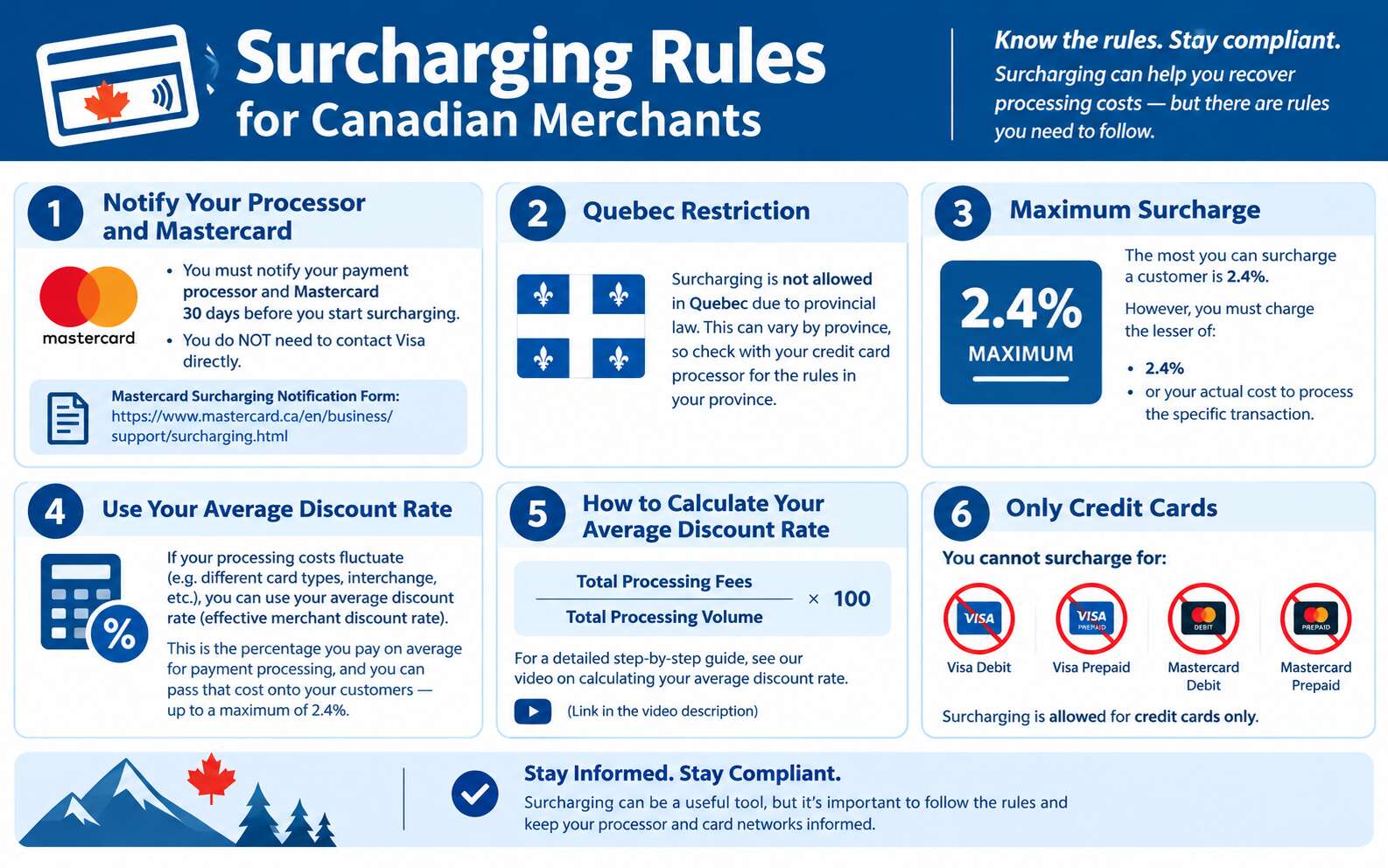
The most important rule is how much you are allowed to surcharge. This is how much of your cost you can recover. The maximum that you're allowed to surcharge any customer is 2.4%. However, that's the maximum. It's actually supposed to be the lesser of either 2.4% or whatever your cost is to process a given credit card transaction. This brings up a pretty significant wrinkle. A lot of merchants these days are on fairly complicated pricing models where your cost fluctuates up and down depending on the type of card that was used. We have a lot of content on the Merchant-Accounts.ca website and on our YouTube channel that talks about interchange and interchange plus pricing. That said, we can summarize by saying that sometimes your costs aren't clear. If you process a very basic card, your cost will be, I'll make something up, maybe 2%. If you process a Visa Infinite Privilege, maybe your cost will be 2.5%. This means that your rates fluctuate around.
This takes you to the question of: if your rates are fluctuating around and you're supposed to charge a merchant up to a maximum of what your cost is, how can you figure that out? The only practical way to really put this into practice is to figure out your average discount rate by the month. I don't mean you have to update it every month, but perhaps you do. It's not really clear in Visa's guidance. What it says is you're allowed to calculate your average discount rate cost. That's the percentage that you pay on average for your payment processing, and you can pass that cost onto your customers up to a maximum of 2.4%.
Now, if you want to figure out how to calculate your average discount rate cost, also called the effective merchant discount rate, you can find a video which I'll link to in our description, and I will also describe it briefly. Basically, if you take all of the fees that you pay to your payment processor for your processing and you divide it into your aggregate, like your total processing volume, then you multiply the result by 100, you'll come to your average discount rate. Now I'm not going to go further down that track because we have another video specifically on this topic, but as a merchant, you need to figure out what your average discount rate is so that you can begin surcharging up to the maximum of that discount rate or 2.4%.
Now, other than that, the other big catch is you can't surcharge for a Visa debit, a Visa prepaid, a Mastercard debit, or a Mastercard prepaid, only credit cards.
BIN Lookup
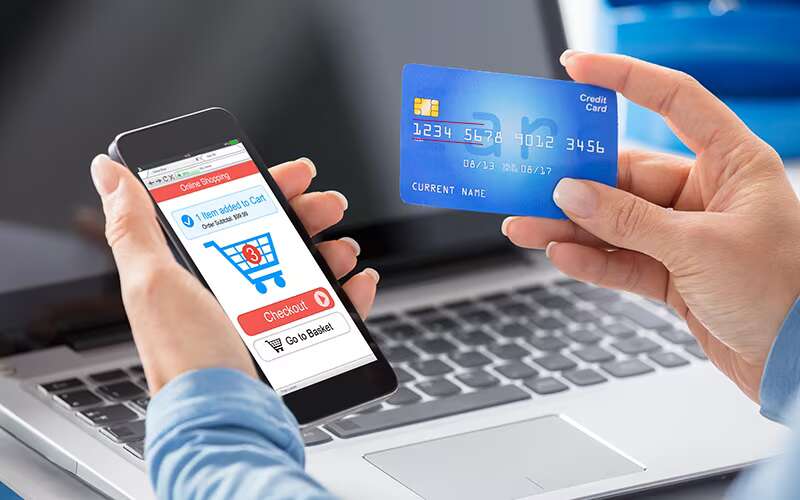
Which brings up a question: How, if you're an e-commerce merchant, do you know if it's a credit, debit, or prepaid card? Technically it's possible, but it is a pain. Pain is probably the appropriate description. You could do something called a BIN lookup. I recently, about two months ago, did another video on what a credit card BIN number is: a bank identification number. Basically, the first six digits on a credit card number identify things about that card: what bank issued it and what type of card it is. You can do that, but there are a few problems with this, and some of them are pretty significant. First, you need a service provider to provide a BIN lookup service. Now I work with quite a few credit card processors in Canada, both big and small. None of them provide a BIN lookup service. This means you're going to have to go and find a third-party service provider to allow you to make, basically, an API call every time you want a credit card transaction to say, "Hey, what type of credit card is this?" That's probably going to come at a small cost. Second, it's going to add an extra step in your e-commerce checkout flow because before you can submit the credit card to your processor, you have to send it to your BIN lookup service to find out if it's a credit card so you're allowed to surcharge in the first place.
Chicken and Egg Problem

Now, come to think of it, the amount of the surcharge has to be presented before the customer is actually charged, but you can't determine the surcharge or if you're allowed to surcharge until the credit card's entered, which creates a chicken-and-egg situation. You have to display the surcharge rule clearly to be compliant, but you can't find out if you're allowed to surcharge until you look up the BIN and find out what type of card it is. I actually don't have an exact solution for how to do this other than the customer clicks checkout, you do the BIN lookup, it's valid, and then you come to a summary screen. I guess, like on Amazon, you add to your cart, and then you go to your checkout page, and there's the order confirmation button. You could do it that way, but now you're adding another click, an arguably unnecessary click in your checkout funnel, which takes me to my final point.
Compliance
For most small and mid-sized e-commerce businesses, you are avoiding credit card numbers like the plague. You don't want to touch the card number yourself. This is for PCI compliance reasons: the Payment Card Industry Data Security Standard. Now I have a lot of content on our website and on our YouTube channel about PCI compliance, but it's high-level; most small and mid-size businesses push the user away. They're like, "No, no, no, don't give us the credit card number." They redirect the user to the payment processor's website via some technical fashion. The payment, and basically the credit card number goes straight from the customer to the credit card processor. If you need to interject a BIN lookup in the middle, you can't do that anymore.
Ultimately, it's going to push you into the deepest and most stringent level of PCI compliance. What does this all mean? It means that in actuality, if you're a small or mid-size e-commerce business, you will have a very hard time being compliant with the actual surcharging rules. It seems like the rules were created to address a problem, but at least on the card-not-present front. Now this probably is less of a problem in a retail environment because you just look at the card, oh, Visa debit, we can't surcharge for this one. In e-commerce environments, it's complicated. I'd suggest that if the card networks truly wanted to encourage surcharging, they'd have to make some sort of free BIN lookup service that could be called in a way that doesn't impact the merchant's PCI compliance. Now to my knowledge, that doesn't exist, but I could be wrong.
Complexity
Ultimately, surcharging adds a layer of complexity to an e-commerce checkout flow, and that's why I think most of my clients who are very predominantly card-not-present and e-commerce type merchants, don't do surcharging. This takes me to a point, the card networks have no right to tell you how to run your business, only how to interact with your customers specifically around card acceptance. If you have an online shoe store, you could add an inventory management fee to your checkout. If you're an accountant, you could have a client monthly administration fee. As long as it's a legitimate fee that you really charge for your services or products, that's fair. It just cannot be at all to do with your credit card processing. Keep in mind, I'm not suggesting you skirt around the surcharging rules. What I'm saying is that you can charge any legitimate fee that you want to your customers.
If you do vacation rentals, you can charge a housekeeping fee upon arrival. That's why I expect so few of my clients actually do surcharging. Perhaps they just look at the rules and decide it's too complicated.
Summary
In summary, you need to notify both your processor and Mastercard before you begin surcharging. You need to follow the rules laid out by Visa and Mastercard and look up the latest rules, and not go by what I'm saying in this video, because the rules could have been updated by the time you're viewing it. Most of all, if you want to do surcharging, contact your payment processor and work with them on it, and they should give you really good guidance.
Finally, if you're looking to surcharge and you're looking for maybe a new credit card processor, why don't you reach out to us at Merchant-Accounts.ca? We'd love to work with you. We can help you with surcharging issues to make sure you do it in a compliant manner. Also, we might be able to reduce your processing costs along the way. If you'd like a quote, don't hesitate to reach out. Thanks for watching, and have a nice day there. Bye now.